Precor Next-Gen Console:
Features & Deigns
Company
Precor
Launched
2023
Industry
Commercial Fitness
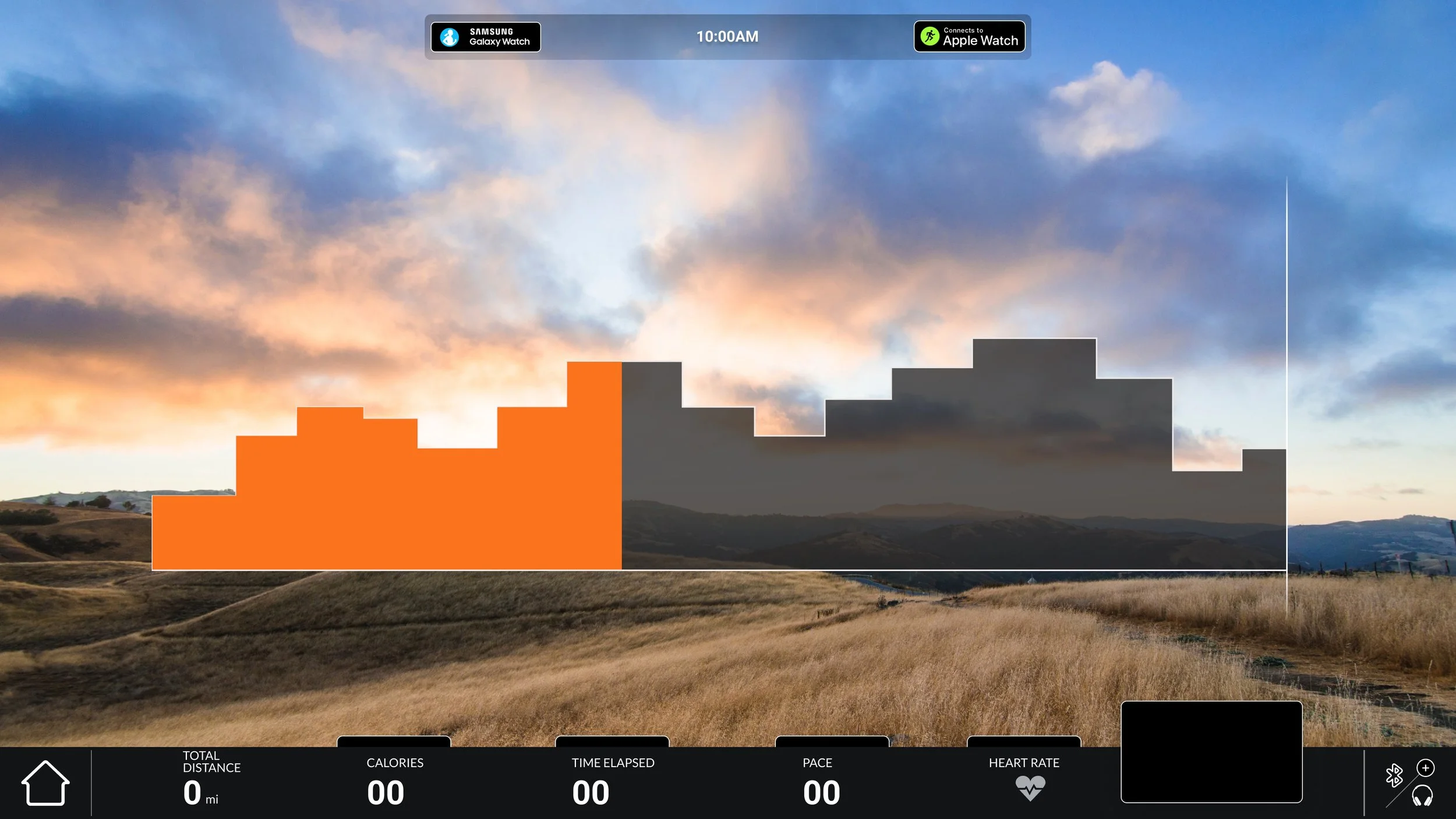
Precor offers a range of consoles and digital integrations that enhance engagement and elevate the user experience. Our platforms provide seamless access to workouts, virtual environments, and premium media, while incorporating popular fitness trends like HIIT and heart rate training. I contributed to key initiatives including the launch of the Next-Gen Console and the development of new UX/UI features.
Quick Start Targets
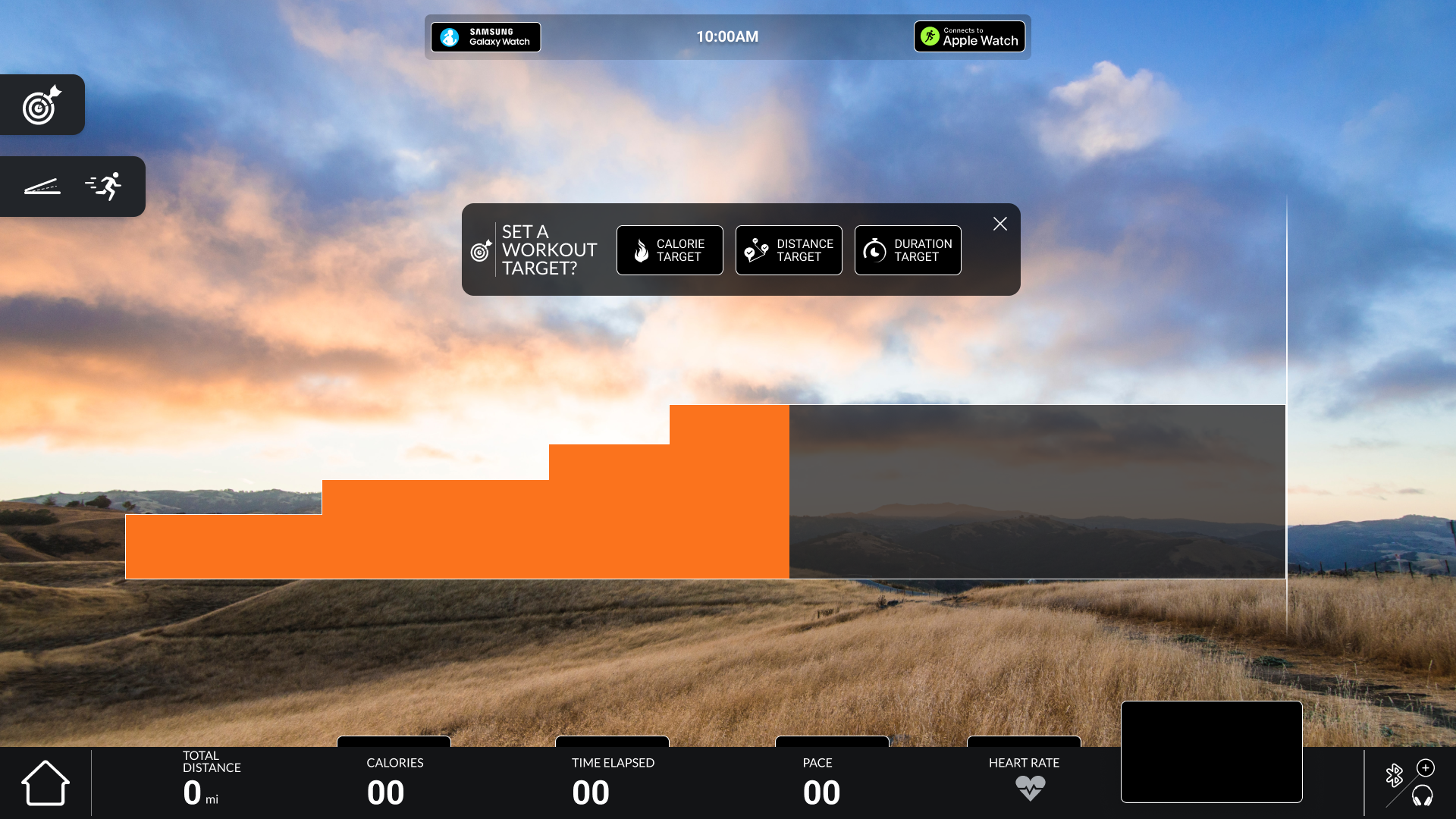
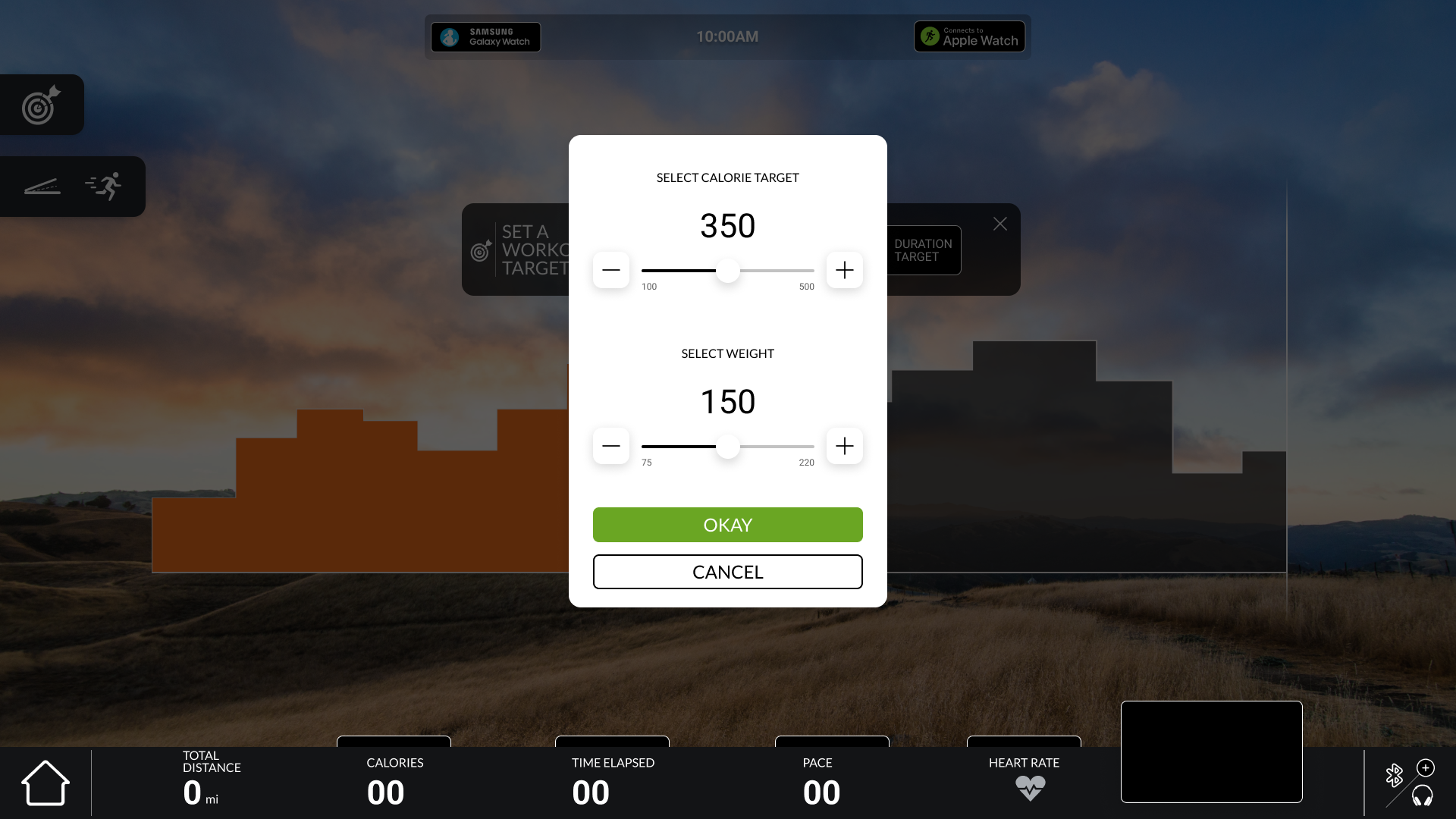
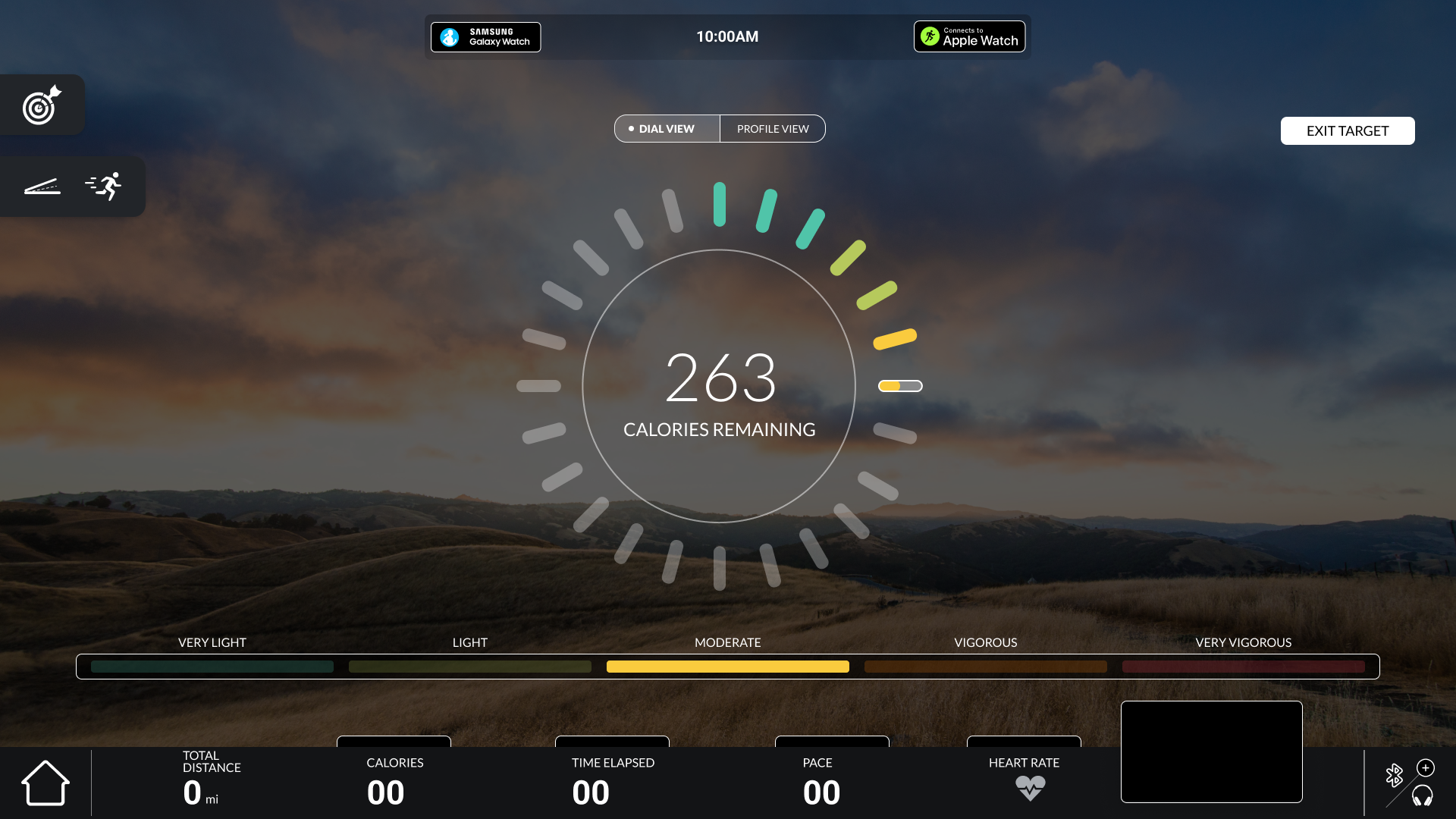
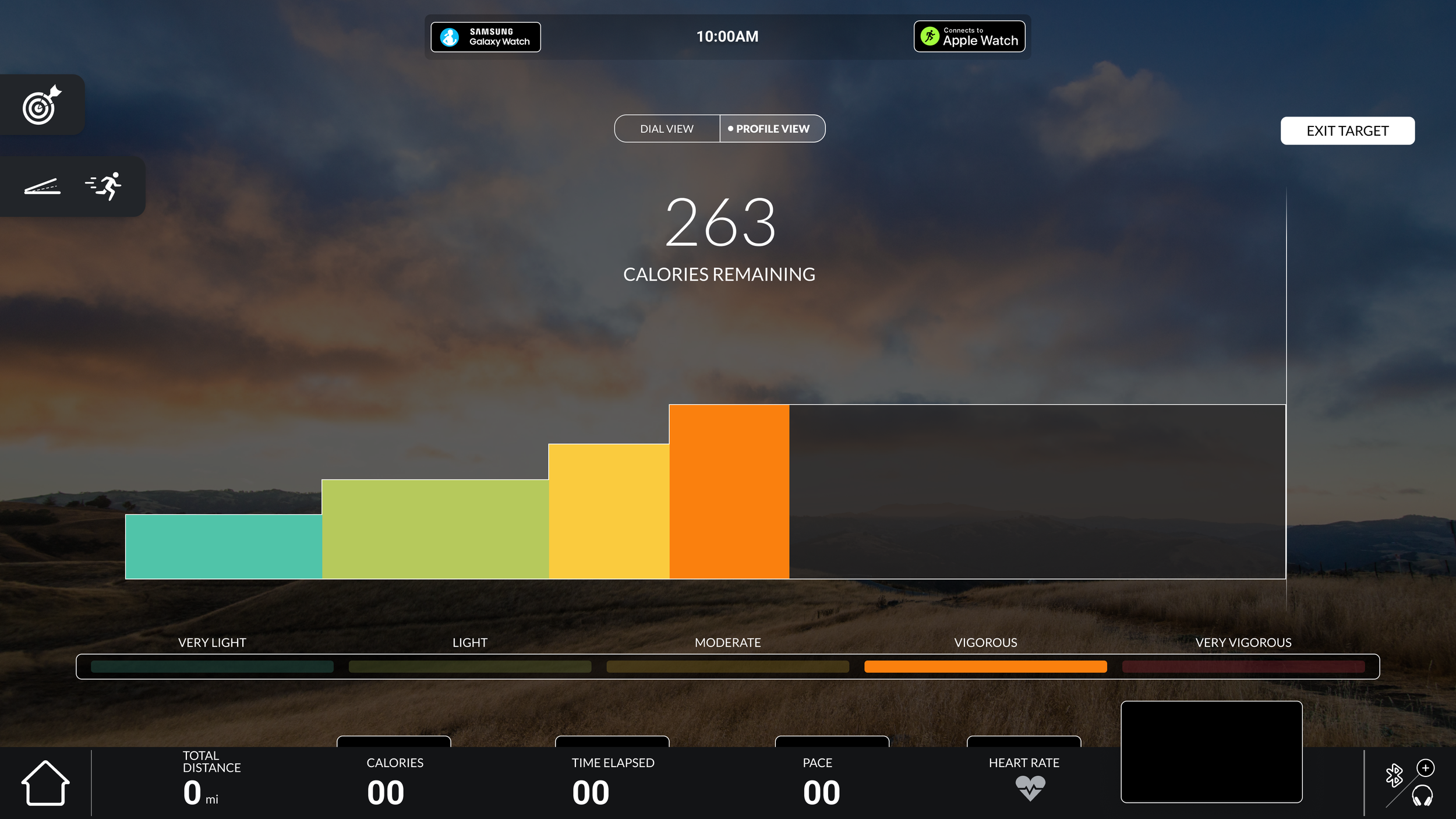
Quick Start Targets enhance the standard quick start workout by introducing optional goal-setting mid-session. After beginning a workout with Quick Start, exercisers are prompted—after a short period—to set a target such as time, distance, or calories. Selecting a goal transitions them into a guided experience that tracks progress in real time. Intensity ranges are also displayed, If an exerciser is holding the HR grips or has a connected device, based on their input, a intensity zone and color is displayed. This feature builds on the simplicity of Quick Start while improving engagement, increasing retention, and making goal-based workouts more discoverable without disrupting the user’s flow.
Machine Controls: Quick Keys
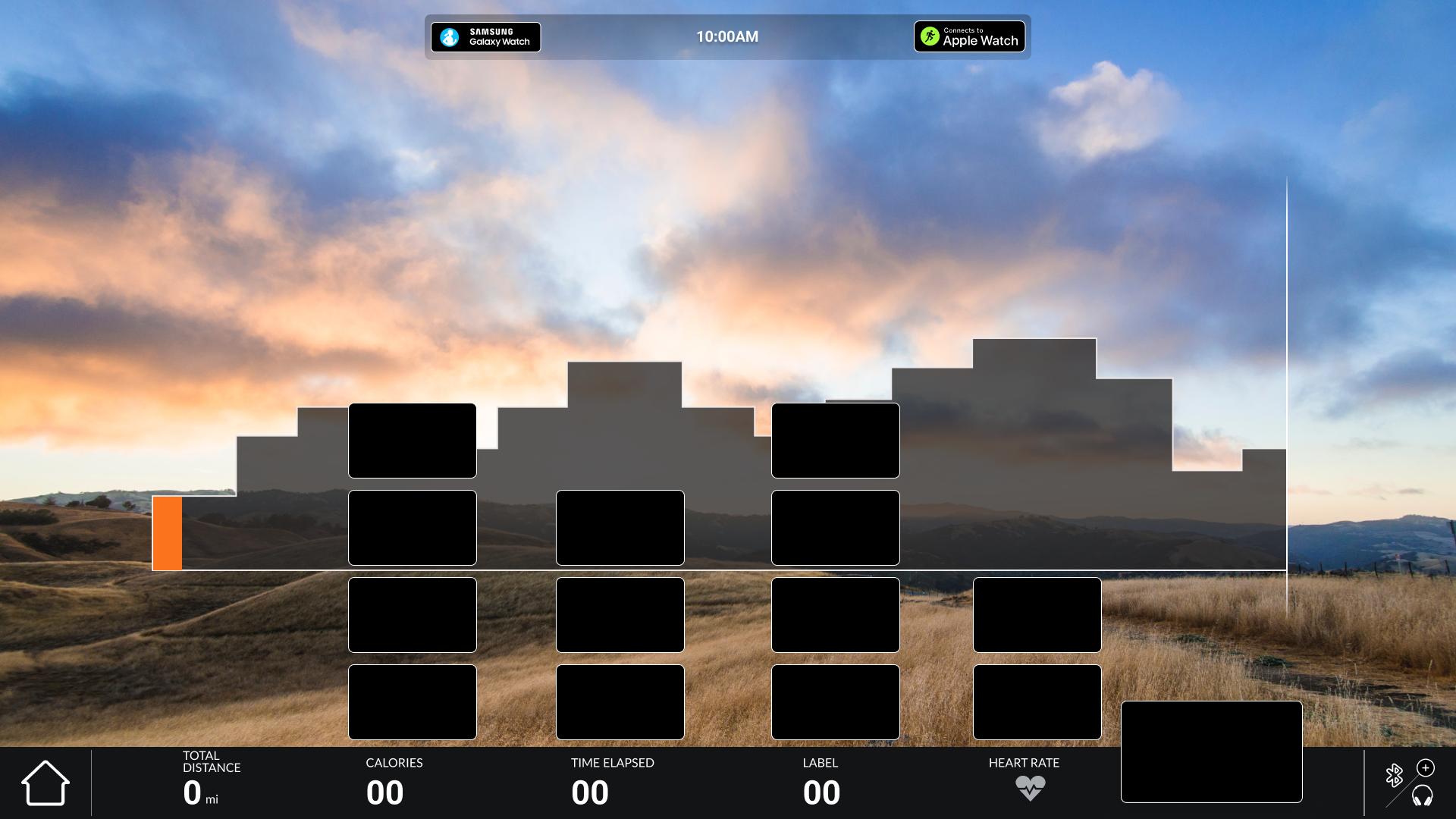
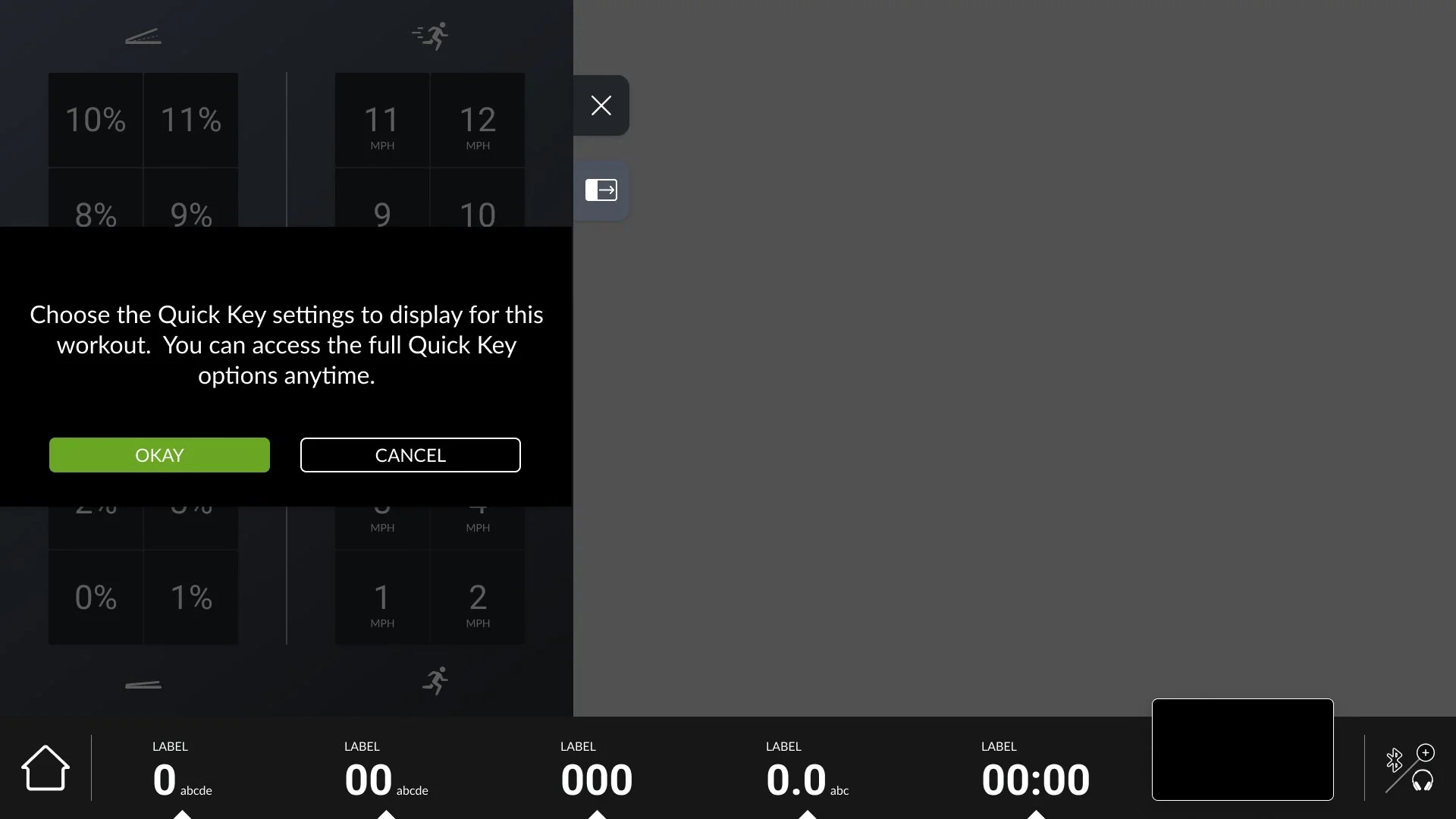
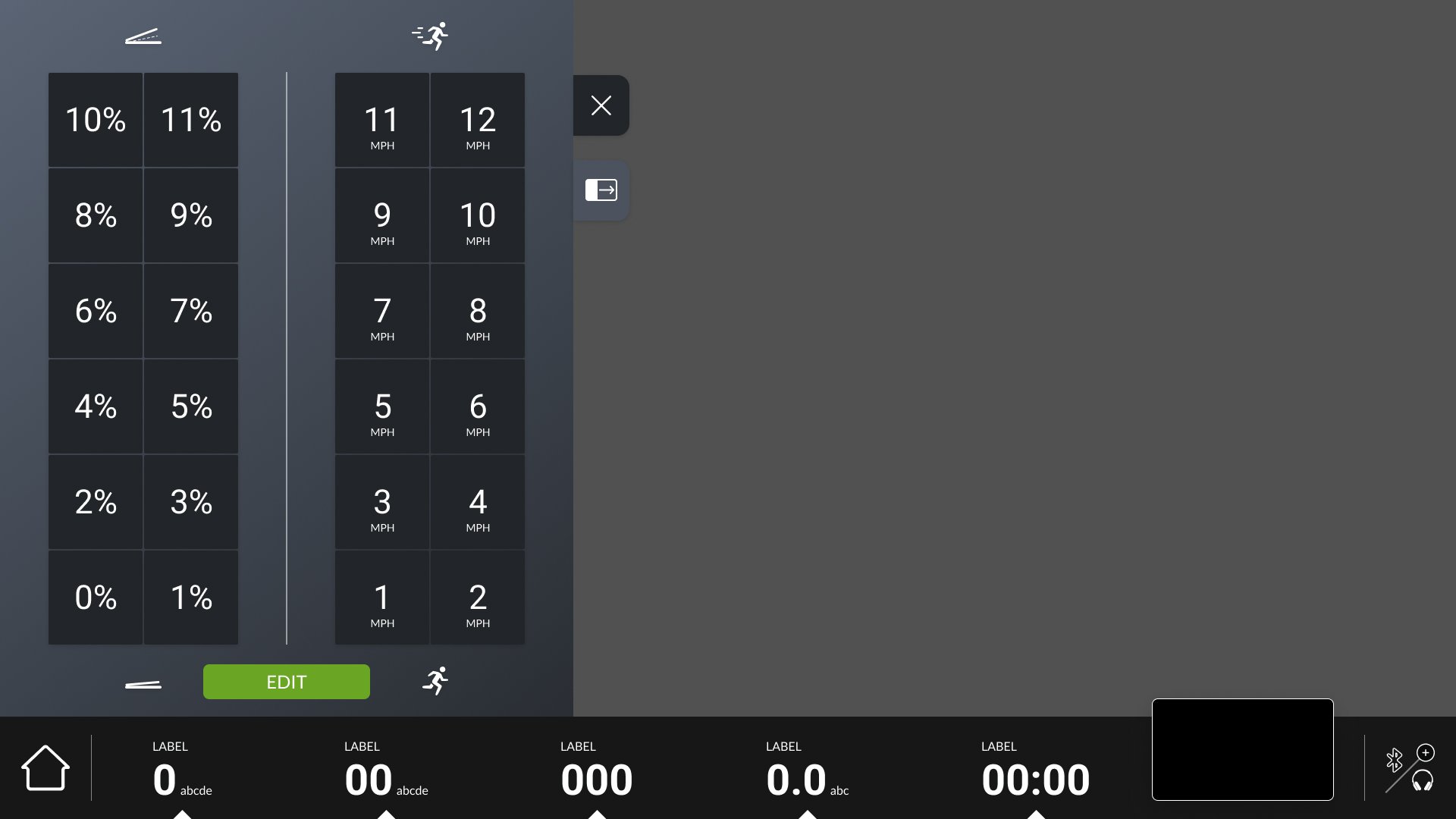
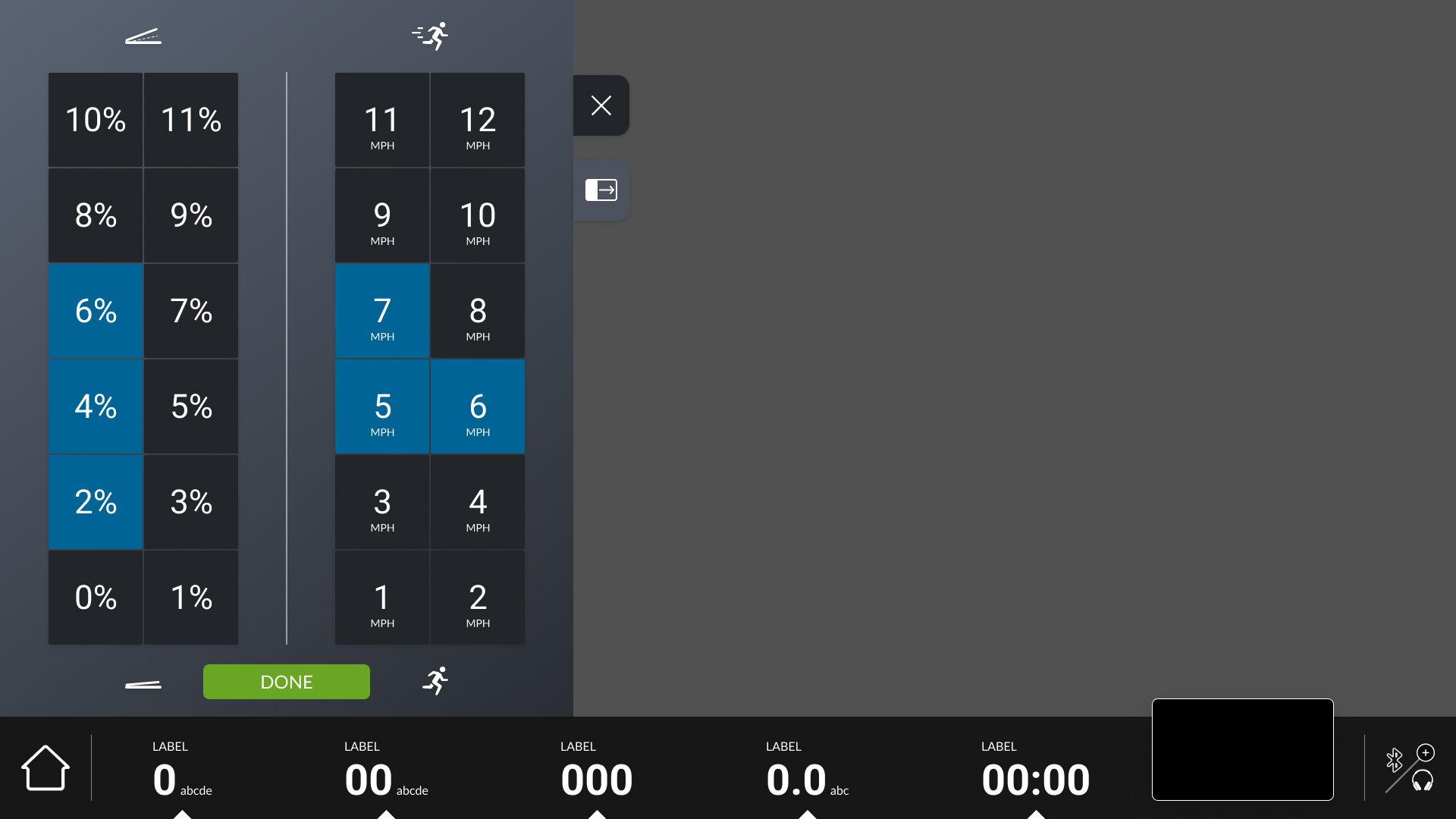
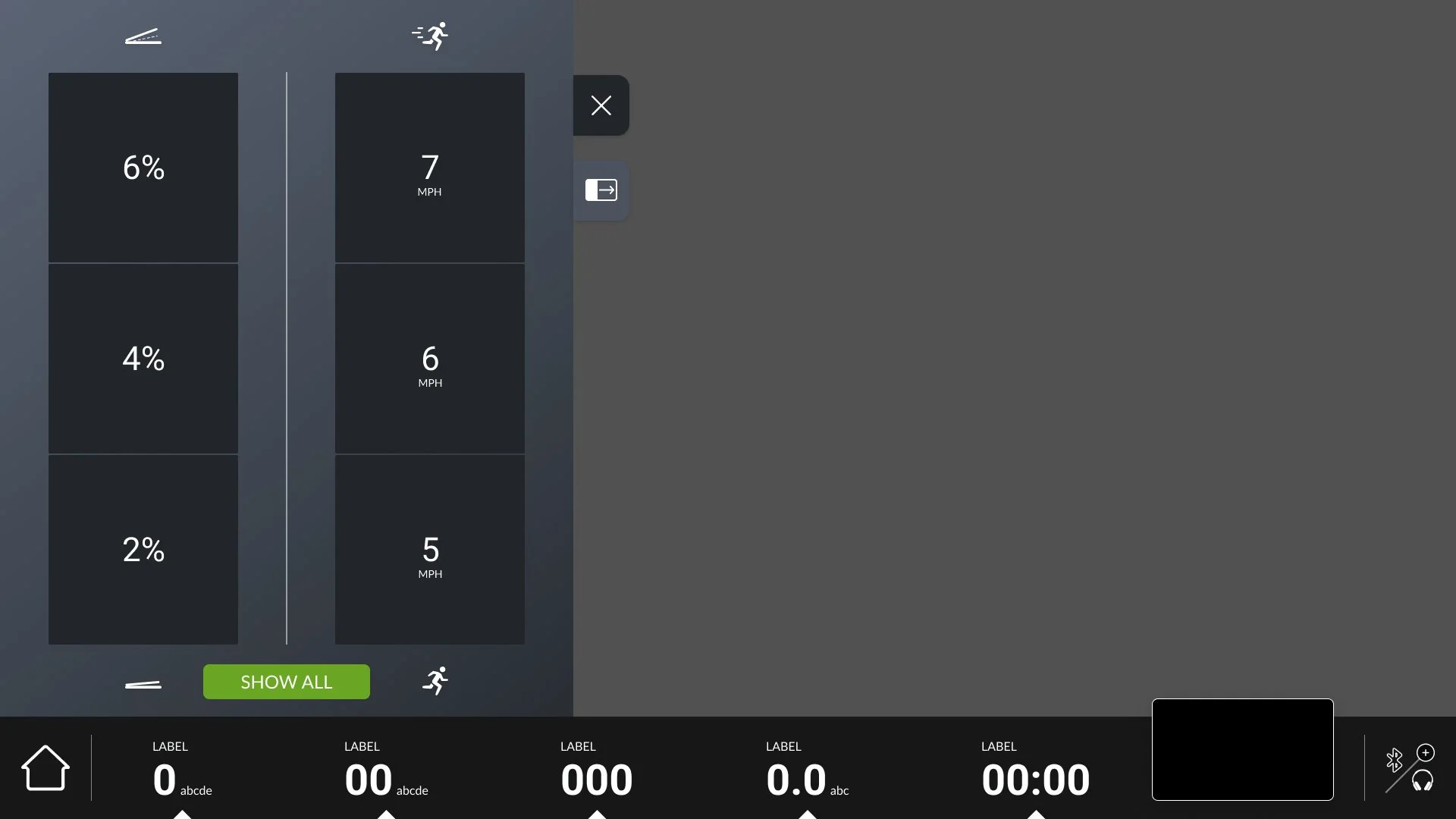
Quick Keys are numerical inputs displayed on the screen that allow users to effortlessly modify their workout parameters—such as speed, incline, or resistance—without needing to interact with the physical controls, such as the incline or speed handles. The concept behind Quick Keys is to provide exercisers with easy, on-demand access to these controls at any time during their workout. Users can choose to display or hide the Quick Keys on the screen based on their preference. An exerciser can customize their Quick Key panel with preset values, allowing them to tailor controls to their specific workout and improve efficiency. When selected, tapping a Quick Key will immediately adjust the corresponding workout parameter. Additionally, users have the option to customize the placement of the Quick Keys on either the left or right side of the screen, accommodating both left- and right-handed users and offering a personalized experience tailored to each individual’s needs
Workout Metric Discoverability
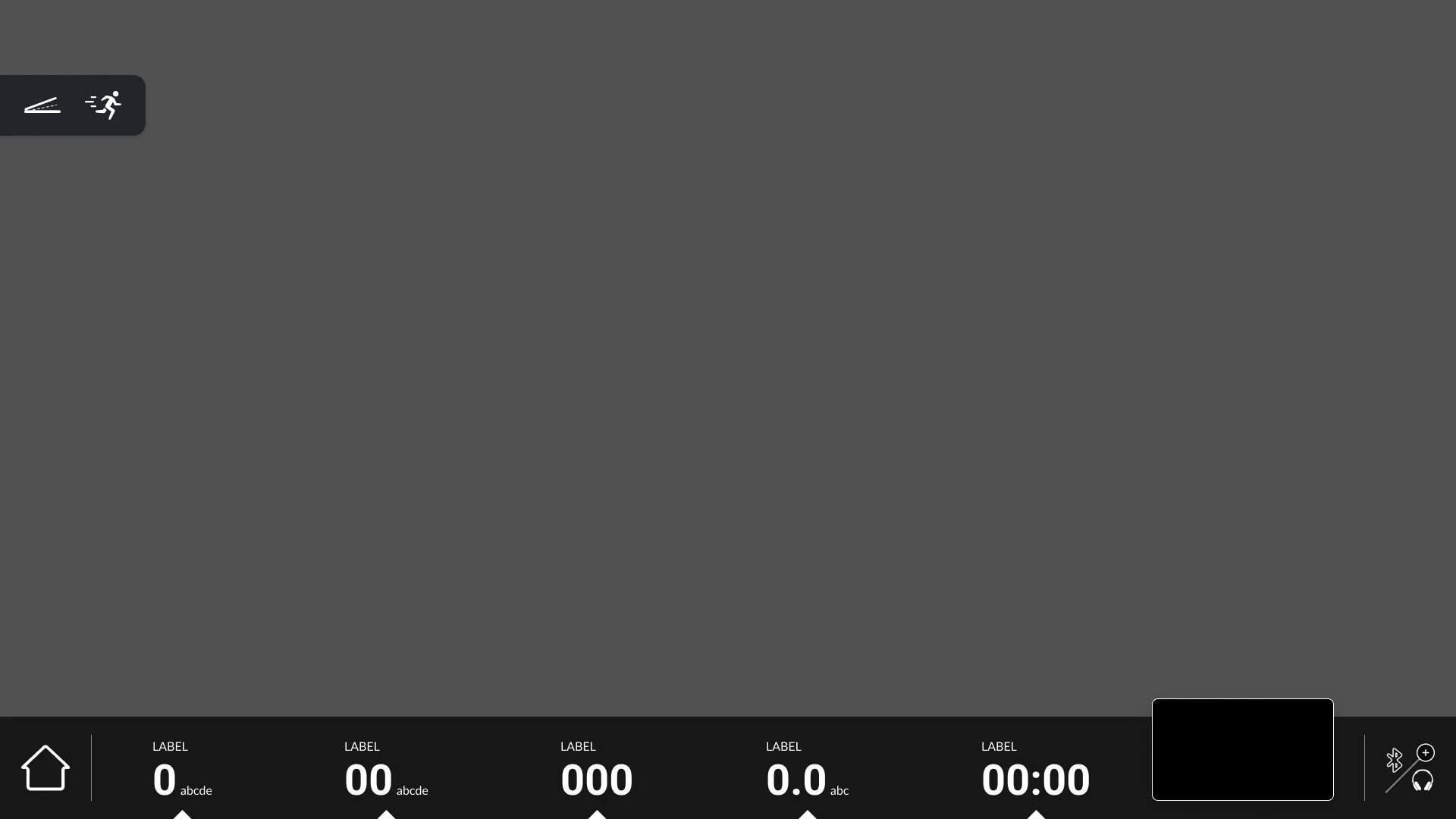
Metric Drawer Hints improve the discoverability of expandable metrics within the metric bar. When a metric contains additional data, a subtle visual hint appears at the top edge, signaling that the drawer can be opened. Designed at a fixed size to remain distinct from the drawer itself, this cue helps exercisers quickly identify interactive elements. Once tapped, the hint disappears and the drawer expands, creating a clean, intuitive transition while reinforcing clear interaction feedback.